QuoteRoute

QuoteRoute/Features/Call log and transcripts

Every call, written down

QuoteRoute was built to work with an AI voice assistant that calls each new lead, answers questions and books a visit. Each attempt lands in a log with what was said.

One click, no account. Open the agency workspace or a contractor portal; the data is fictional, and no real text, call or e-mail ever leaves the demo.

Call log and transcriptsquoteroute.techma.ai
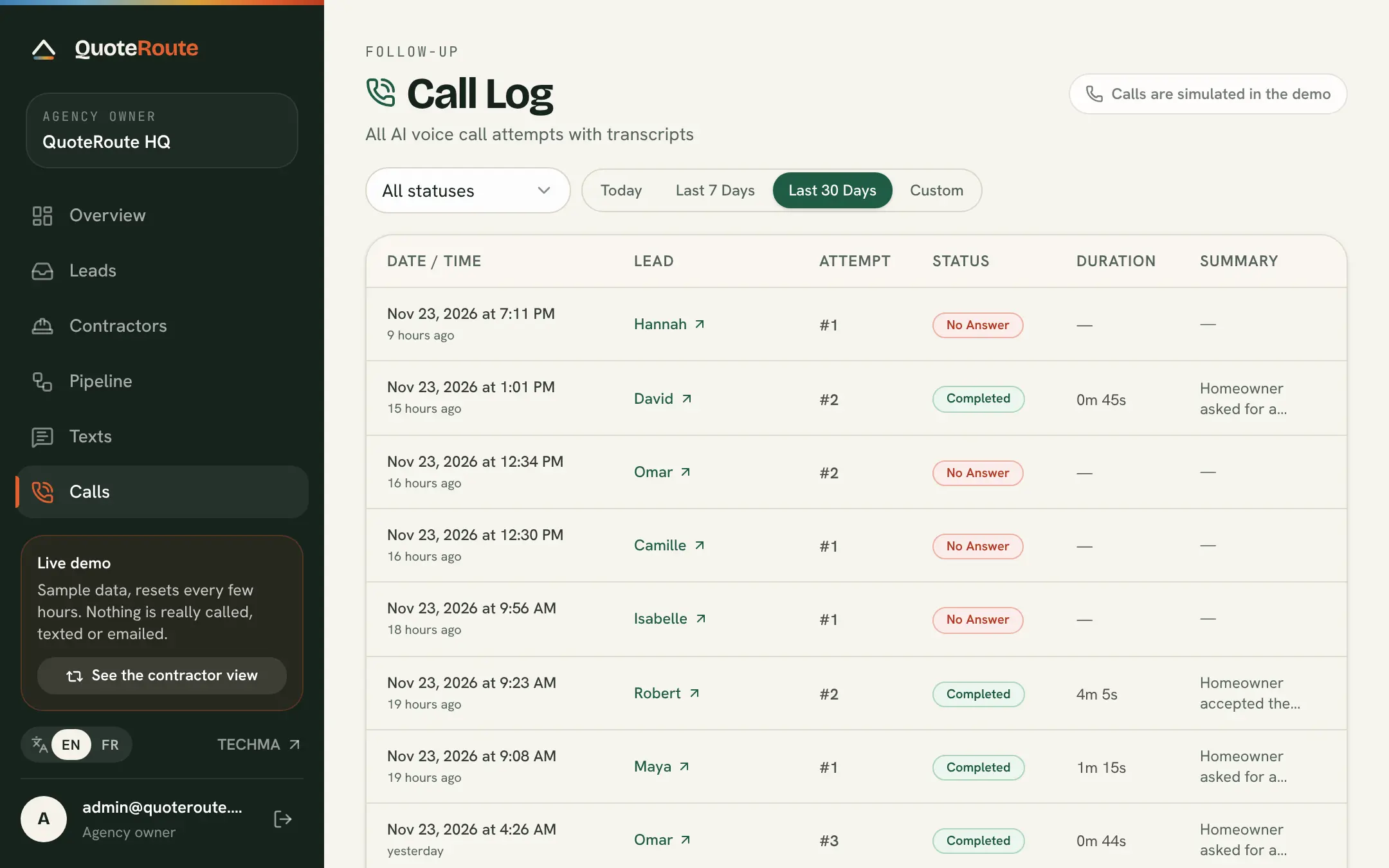
The QuoteRoute call log with date, lead, attempt, status, duration and summary for each call

What the log shows

Date, lead, attempt number, status (completed, no answer, failed), duration and a one-line summary. Open a call to read the transcript, turn by turn.

How it connects

In the original build, an AI voice agent placed the calls and sent results back to the app, and could check a contractor's calendar to offer real time slots. The settings explain each connection step.

In the demo

No call is placed. The calls you see are sample records with fictional transcripts, so you can see what the log looks like when it is full.

Questions

Asked before the first call

Do I need an AI caller to use QuoteRoute?

No. Texts and manual calls work without it. The AI caller is an option connected in a version built for you.

Live demo

Take the quiz, then watch the lead land.

QuoteRoute is a working application, not a mock-up. Answer the homeowner quiz as if it were your attic, get the price range, then open the agency workspace and find your own lead at the top of the list.