QuoteRoute

QuoteRoute/Features/The lead file

The whole lead, on one page

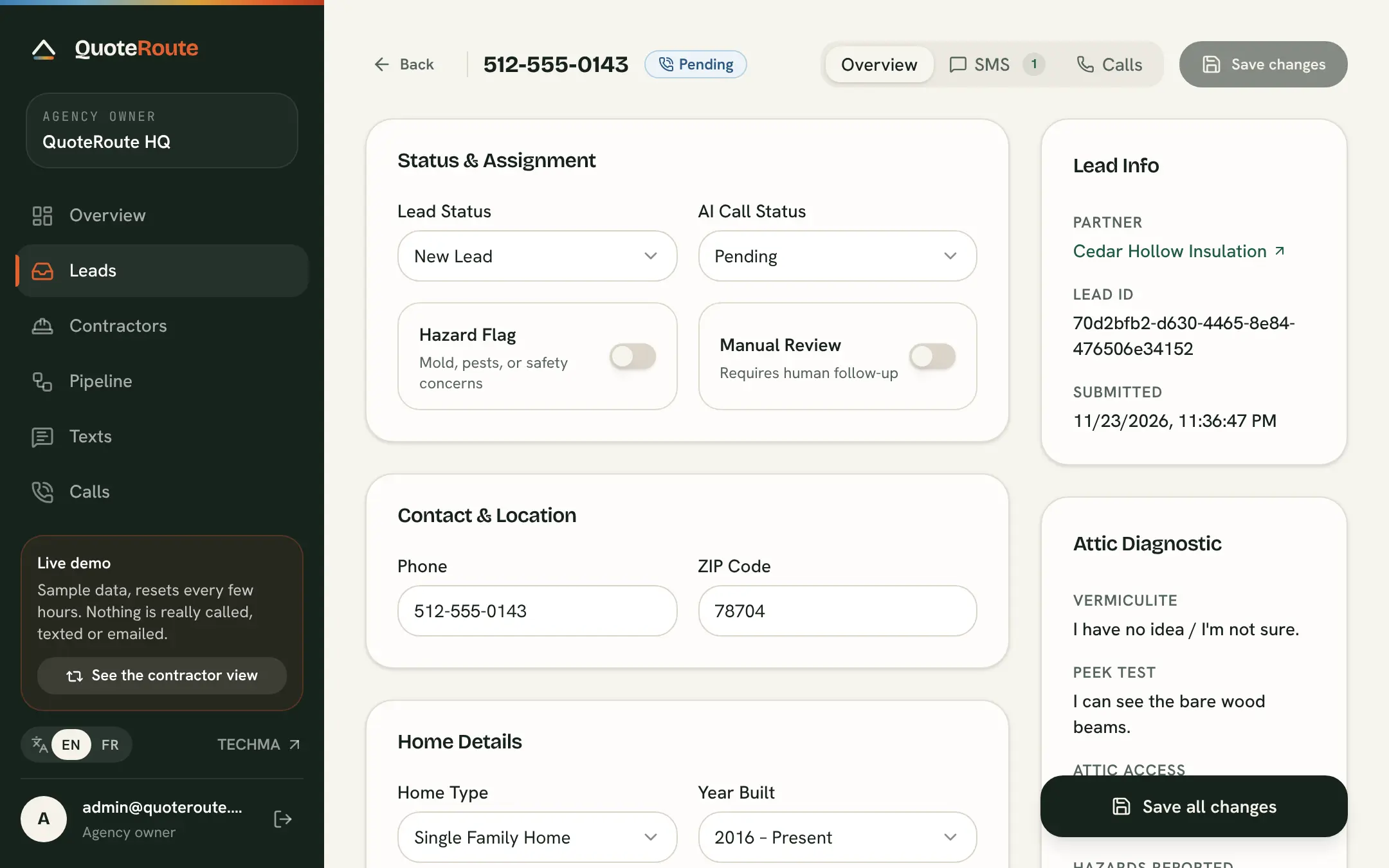
Open a lead and everything the homeowner said, everything the follow-up did and everything the agency decided sits on one page.

One click, no account. Open the agency workspace or a contractor portal; the data is fictional, and no real text, call or e-mail ever leaves the demo.

The lead filequoteroute.techma.ai
A homeowner lead in QuoteRoute with status, assignment, contact, home details, attic diagnostic and calculated estimate

Status and assignment

The lead status (new, callback scheduled, booked, in progress, won, lost, manual review), the contractor, and the status of the AI call. Two switches mark a hazard or a need for manual review.

What the homeowner said

  • The home. Type, size, year built, postal code.
  • The attic. Vermiculite, access, what the quick peek showed, hazards reported.
  • The intent. Urgency, main reason, past insulation work.

Texts and calls on the same file

Two tabs hold the conversation: every text sent and received, and every call attempt with its duration, summary and transcript. In the demo these are sample records; nothing is really sent.

Terms used on this page

Manual reviewVermiculite

Questions

Asked before the first call

Can a contractor change the lead's status?

In the demo, the contractor portal shows leads and their status; changes are made by the agency. A version for you can let contractors update their own leads.

Live demo

Take the quiz, then watch the lead land.

QuoteRoute is a working application, not a mock-up. Answer the homeowner quiz as if it were your attic, get the price range, then open the agency workspace and find your own lead at the top of the list.