QuoteRoute

QuoteRoute/Features/Leads workspace

Every lead, in one list

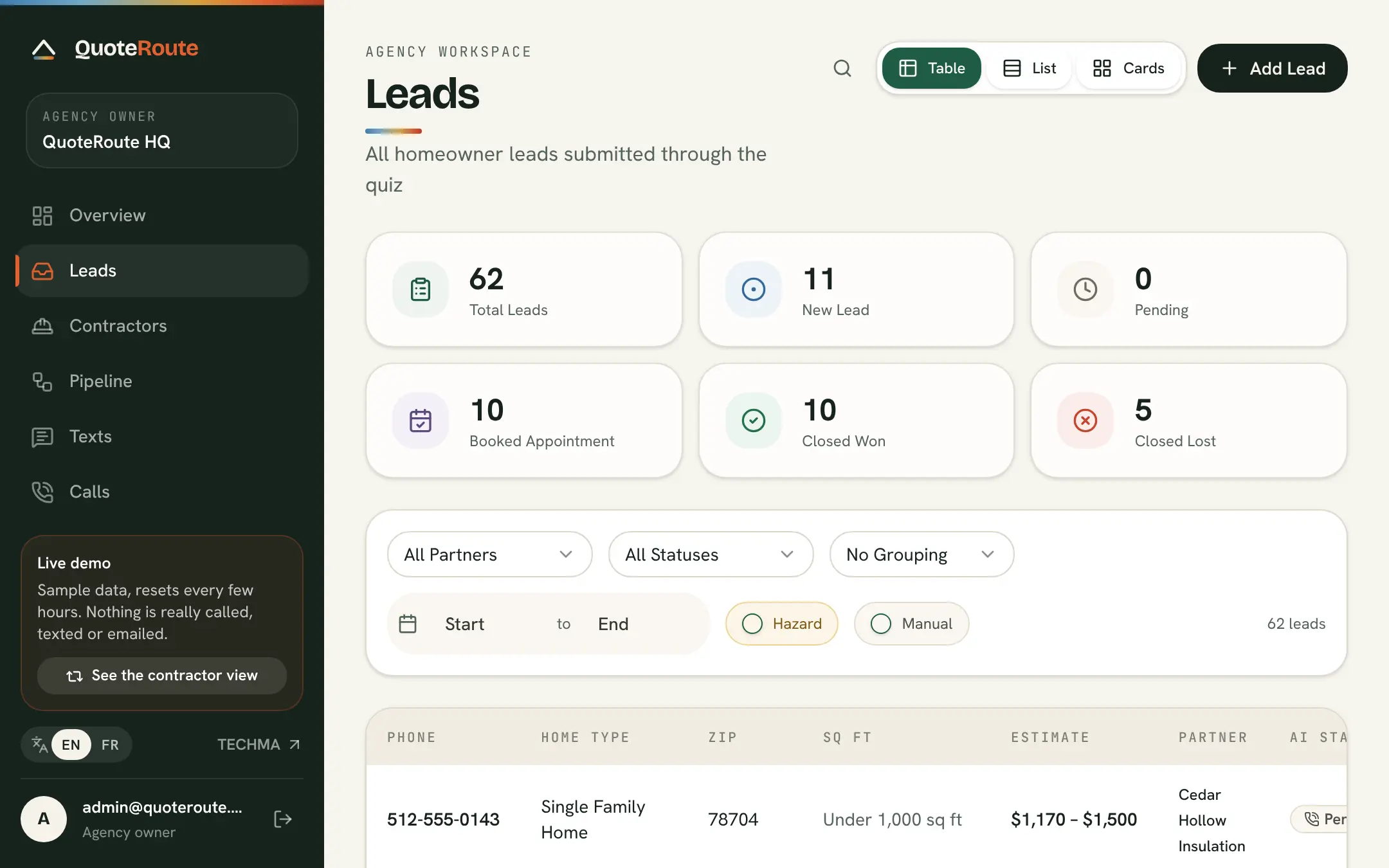
Leads from every contractor arrive in one list, each with the home, the estimate, the contractor and where it stands. The totals at the top say how the week is going.

One click, no account. Open the agency workspace or a contractor portal; the data is fictional, and no real text, call or e-mail ever leaves the demo.

Leads workspacequoteroute.techma.ai
The QuoteRoute leads workspace with totals, filters and a table of homeowner leads

What each line shows

The phone number, the home type, the postal code, the size, the estimate range, the contractor, the status of the follow-up, any hazard or manual review flag, and the date.

Filters that answer real questions

  • By contractor. How is Maple Ridge doing this month?
  • By status. Who is waiting for a callback?
  • By date. What came in since Monday?
  • Hazard and manual. Which leads need a human before a crew drives out?

Three views

A table for the office, a list for quick scanning, and cards that read well on a phone. Leads can also be grouped by contractor or status.

Leads that did not come from the quiz

A lead taken by phone can be added by hand: contractor, phone, home type, postal code, status and urgency. It then follows the same route as the others.

Terms used on this page

Estimate rangeManual review

Questions

Asked before the first call

Can leads be exported?

Not in the demo. Exports to a spreadsheet or to your CRM are part of a version built for you.

What happens to my own quiz answers in the demo?

They appear at the top of this list as a new lead, so you can follow them. The demo resets itself every few hours.

Live demo

Take the quiz, then watch the lead land.

QuoteRoute is a working application, not a mock-up. Answer the homeowner quiz as if it were your attic, get the price range, then open the agency workspace and find your own lead at the top of the list.